;}.cls-2{fill:%2358d687;}.cls-3{fill:url(%23Degradado_sin_nombre_10);}.cls-4{fill:url(%23Degradado_sin_nombre_31);}.cls-5{fill:%238030d1;}.cls-6{fill:url(%23Degradado_sin_nombre_23);}%3c/style%3e%3clinearGradient%20id='Degradado_sin_nombre_17'%20x1='129.39'%20y1='83.35'%20x2='56.4'%20y2='162.54'%20gradientUnits='userSpaceOnUse'%3e%3cstop%20offset='0'%20stop-color='%23287d8c'/%3e%3cstop%20offset='1'%20stop-color='%2350b5db'/%3e%3c/linearGradient%3e%3clinearGradient%20id='Degradado_sin_nombre_10'%20x1='449.01'%20y1='190.97'%20x2='266.02'%20y2='78.2'%20gradientUnits='userSpaceOnUse'%3e%3cstop%20offset='0'%20stop-color='%23ffe286'/%3e%3cstop%20offset='1'%20stop-color='%23ffcd1d'/%3e%3c/linearGradient%3e%3clinearGradient%20id='Degradado_sin_nombre_31'%20x1='99.7'%20y1='309.69'%20x2='146.19'%20y2='485.35'%20gradientUnits='userSpaceOnUse'%3e%3cstop%20offset='0.01'%20stop-color='%23ff9464'/%3e%3cstop%20offset='1'%20stop-color='%23b3553a'/%3e%3c/linearGradient%3e%3clinearGradient%20id='Degradado_sin_nombre_23'%20x1='547.05'%20y1='208.96'%20x2='252.56'%20y2='438.86'%20gradientUnits='userSpaceOnUse'%3e%3cstop%20offset='0'%20stop-color='%23ff7da1'/%3e%3cstop%20offset='1'%20stop-color='%23f20b4f'/%3e%3c/linearGradient%3e%3c/defs%3e%3ctitle%3efavicon%3c/title%3e%3cg%20id='_Group_'%20data-name='<Group>'%3e%3cg%20id='_Group_2'%20data-name='<Group>'%3e%3cg%20id='_Group_3'%20data-name='<Group>'%3e%3cpath%20id='_Path_'%20data-name='<Path>'%20class='cls-1'%20d='M232.54,165.43a124.47,124.47,0,0,1-106.95,60.76h0A101.77,101.77,0,0,1,23.82,124.41V0L132.31,95.94A517.46,517.46,0,0,0,232.54,165.43Z'/%3e%3cpath%20id='_Path_2'%20data-name='<Path>'%20class='cls-2'%20d='M250,0V101.78a123.87,123.87,0,0,1-17.46,63.65A517.46,517.46,0,0,1,132.31,95.94L23.82,0Z'/%3e%3cpath%20id='_Path_3'%20data-name='<Path>'%20class='cls-3'%20d='M476.18,226.19a518.87,518.87,0,0,1-243.64-60.76A123.87,123.87,0,0,0,250,101.78V0A226.12,226.12,0,0,1,476.18,226.19Z'/%3e%3cpath%20id='_Path_4'%20data-name='<Path>'%20class='cls-4'%20d='M232.54,334.57a517.71,517.71,0,0,0-100.23,69.54L23.82,500V375.59A101.77,101.77,0,0,1,125.59,273.81h0A124.47,124.47,0,0,1,232.54,334.57Z'/%3e%3cpath%20id='_Path_5'%20data-name='<Path>'%20class='cls-5'%20d='M250,398.22V500H23.82l108.49-95.89a517.71,517.71,0,0,1,100.23-69.54A123.87,123.87,0,0,1,250,398.22Z'/%3e%3cpath%20id='_Path_6'%20data-name='<Path>'%20class='cls-6'%20d='M476.18,273.81A226.12,226.12,0,0,1,250,500V398.22a123.87,123.87,0,0,0-17.46-63.65A518.87,518.87,0,0,1,476.18,273.81Z'/%3e%3c/g%3e%3c/g%3e%3c/g%3e%3c/svg%3e)
Designed, on every Apple device
Talk with your mentor, keep up with your Inbox, and stay close to the design community: jobs, events, podcasts, news, critique and learning paths, all in one app.
One free download for all four. Sign in with the account you use on designed.org.
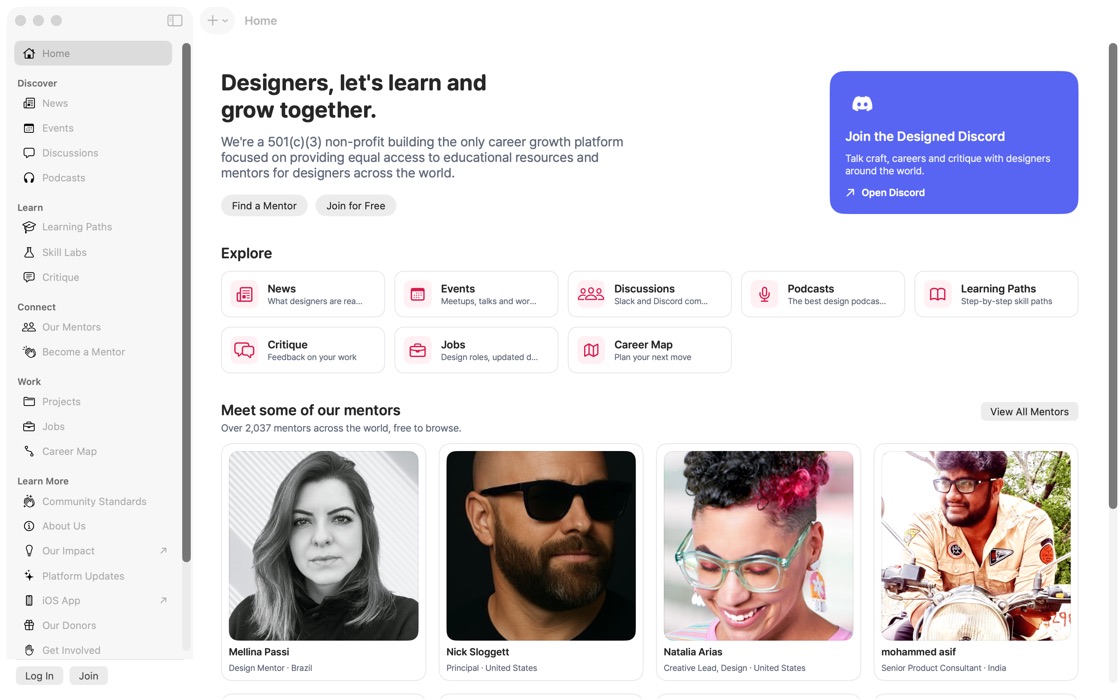
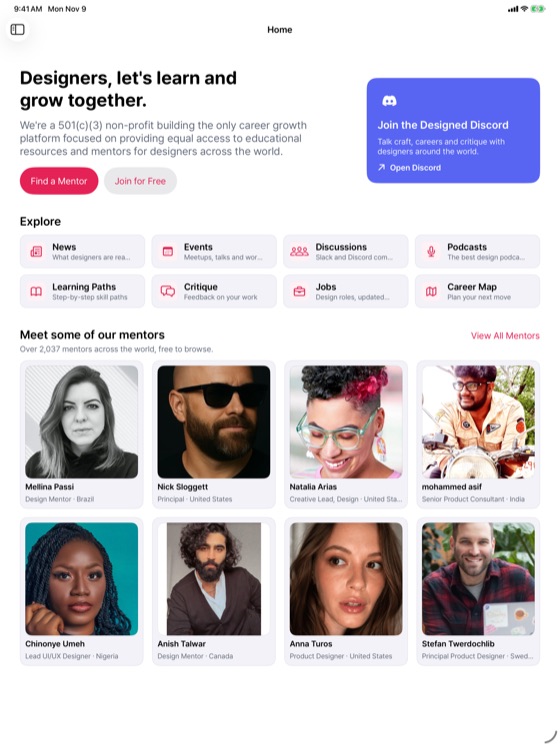
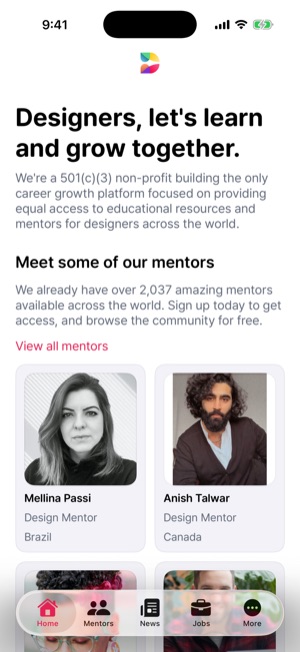
Mentoring, wherever you are
Free one-to-one mentoring is what Designed is for, and the app is built around it: from finding a mentor to every conversation after.
Talk with your mentor, live
Messages arrive the moment they are sent, and you can see when your mentor is typing. Share photos and files in the conversation; on iPad and Mac, drop one onto it.
Your mentoring Inbox
Requests and conversations in one place: the same Inbox you use on designed.org, with a count of what is new beside it.
Find your mentor
Browse every volunteer mentor in the community, with the mentors recommended for you, picked from your profile. Send a request from any mentor's profile.
Notifications that keep up
The bell and the app icon show what is new, and update as it happens while the app is open. Tap a push notification and it opens right to what it is about.
Everything you come to Designed for
Each part of designed.org, made for the app and signed in with the same account.
Jobs
Design roles from the job board, with filters.
Events
Meetups, talks and workshops.
Podcasts
The design podcast directory.
News
What designers are reading, with votes and comments.
Discussions
A directory of design communities on Slack, Discord and beyond.
Critique
Share your work and get feedback on it.
Learning Paths
Step-by-step skill paths.
Skill Labs
Hands-on design briefs to work through.
Career Map
Plan your next move.
Light or dark
Follow your device, or choose one.
One app, made for each device
One free download. The App Store link opens the App Store on your iPhone or iPad and the Mac App Store on your Mac, and your Inbox and recommendations are the same on all three.
iPhone
iOS 17 or later
Everything in your pocket, with a tab bar you arrange around what you use most.
- Home and More are always there; you choose the three tabs between them
- Push notifications that open right to what they are about
- Log in with Apple, Google or LinkedIn
iPad
iPadOS 17 or later
A sidebar like the one on designed.org, and room to read beside the list.
- Every section in the sidebar, with a count beside Inbox
- A story, event or mentor opens right next to the list
- Works in portrait, landscape and Split View
Mac
macOS 14 Sonoma or later
A native Mac app, from the Mac App Store, built for a big screen and a keyboard.
- ⌘N to post, ⌘F to find, ⌘R to refresh, ⇧⌘N for notifications
- What is new, counted on the Dock icon
- Your password manager can fill in Log In
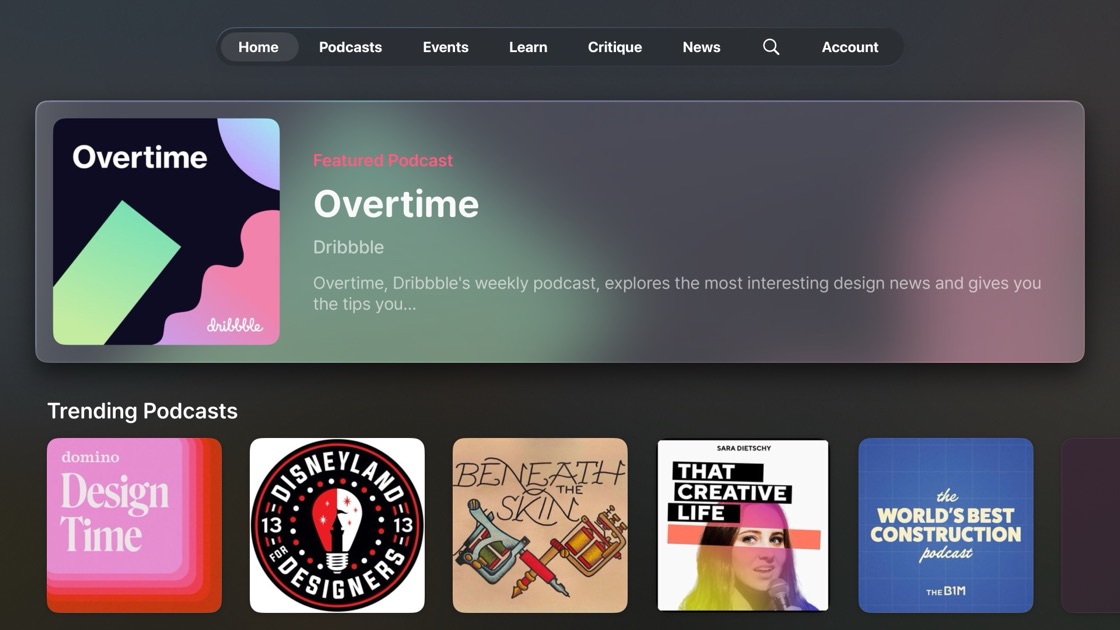
Designed, on the big screen
Sit back with the Video Library, design podcasts and The Daily on your TV. The same free app, with the same account, made for the remote.
- VideosBrowse by topic, path and creator, and watch full screen.
- PodcastsListen to design shows, with Now Playing.
- The DailyToday's picks, first on Home.
- LearnPick up your learning path where you left off.
- EventsUpcoming meetups, talks and workshops.
- NewsWhat designers are reading today.
Sign in with your phone: scan the code on the TV, or enter its four digits at designed.org/tv, and approve it. Your Apple TV never sees your password.
Free. tvOS 18 or later. Search for Designed in the App Store on your Apple TV.
Free, because Designed is a nonprofit
Designed is a 501(c)(3) charity, and the platform stays free because people chip in. Our mission is to empower the designers of tomorrow through educational tools and mentoring.
The app is free, and so is mentoring. See our impact.
Support Designed with Apple Pay
Giving from the app takes a few taps.
- Pay with Apple Pay, with no card to type in
- Give once, or monthly
- Choose to cover the processing fee, so all of your gift reaches Designed
- See your past donations in the app
Rather give on the web? Donate on designed.org.
Get Designed on your iPhone, iPad, Mac and Apple TV
One free download from the App Store, with the same account as the website.