;}.cls-2{fill:%2358d687;}.cls-3{fill:url(%23Degradado_sin_nombre_10);}.cls-4{fill:url(%23Degradado_sin_nombre_31);}.cls-5{fill:%238030d1;}.cls-6{fill:url(%23Degradado_sin_nombre_23);}%3c/style%3e%3clinearGradient%20id='Degradado_sin_nombre_17'%20x1='129.39'%20y1='83.35'%20x2='56.4'%20y2='162.54'%20gradientUnits='userSpaceOnUse'%3e%3cstop%20offset='0'%20stop-color='%23287d8c'/%3e%3cstop%20offset='1'%20stop-color='%2350b5db'/%3e%3c/linearGradient%3e%3clinearGradient%20id='Degradado_sin_nombre_10'%20x1='449.01'%20y1='190.97'%20x2='266.02'%20y2='78.2'%20gradientUnits='userSpaceOnUse'%3e%3cstop%20offset='0'%20stop-color='%23ffe286'/%3e%3cstop%20offset='1'%20stop-color='%23ffcd1d'/%3e%3c/linearGradient%3e%3clinearGradient%20id='Degradado_sin_nombre_31'%20x1='99.7'%20y1='309.69'%20x2='146.19'%20y2='485.35'%20gradientUnits='userSpaceOnUse'%3e%3cstop%20offset='0.01'%20stop-color='%23ff9464'/%3e%3cstop%20offset='1'%20stop-color='%23b3553a'/%3e%3c/linearGradient%3e%3clinearGradient%20id='Degradado_sin_nombre_23'%20x1='547.05'%20y1='208.96'%20x2='252.56'%20y2='438.86'%20gradientUnits='userSpaceOnUse'%3e%3cstop%20offset='0'%20stop-color='%23ff7da1'/%3e%3cstop%20offset='1'%20stop-color='%23f20b4f'/%3e%3c/linearGradient%3e%3c/defs%3e%3ctitle%3efavicon%3c/title%3e%3cg%20id='_Group_'%20data-name='<Group>'%3e%3cg%20id='_Group_2'%20data-name='<Group>'%3e%3cg%20id='_Group_3'%20data-name='<Group>'%3e%3cpath%20id='_Path_'%20data-name='<Path>'%20class='cls-1'%20d='M232.54,165.43a124.47,124.47,0,0,1-106.95,60.76h0A101.77,101.77,0,0,1,23.82,124.41V0L132.31,95.94A517.46,517.46,0,0,0,232.54,165.43Z'/%3e%3cpath%20id='_Path_2'%20data-name='<Path>'%20class='cls-2'%20d='M250,0V101.78a123.87,123.87,0,0,1-17.46,63.65A517.46,517.46,0,0,1,132.31,95.94L23.82,0Z'/%3e%3cpath%20id='_Path_3'%20data-name='<Path>'%20class='cls-3'%20d='M476.18,226.19a518.87,518.87,0,0,1-243.64-60.76A123.87,123.87,0,0,0,250,101.78V0A226.12,226.12,0,0,1,476.18,226.19Z'/%3e%3cpath%20id='_Path_4'%20data-name='<Path>'%20class='cls-4'%20d='M232.54,334.57a517.71,517.71,0,0,0-100.23,69.54L23.82,500V375.59A101.77,101.77,0,0,1,125.59,273.81h0A124.47,124.47,0,0,1,232.54,334.57Z'/%3e%3cpath%20id='_Path_5'%20data-name='<Path>'%20class='cls-5'%20d='M250,398.22V500H23.82l108.49-95.89a517.71,517.71,0,0,1,100.23-69.54A123.87,123.87,0,0,1,250,398.22Z'/%3e%3cpath%20id='_Path_6'%20data-name='<Path>'%20class='cls-6'%20d='M476.18,273.81A226.12,226.12,0,0,1,250,500V398.22a123.87,123.87,0,0,0-17.46-63.65A518.87,518.87,0,0,1,476.18,273.81Z'/%3e%3c/g%3e%3c/g%3e%3c/g%3e%3c/svg%3e)
Learning pathBeginner → IntermediateAccessibility
Accessibility for Designers: ARIA, Testing and Keyboard Checks
For designers moving from basic accessibility ideas to checking real interfaces. You will learn what ARIA adds to HTML, how automated and manual testing differ, and how to build checks into delivery. The path mixes watching, a keyboard review practice and feedback.
4 modules · 10 steps · ~4 hrs · 1 Skill Lab · 6 videos · 1 video path · 1 resource · more
By the end of this path, you’ll be able to
- Explain what ARIA roles and attributes add to HTML for screen reader users
- Describe why automated accessibility tests catch only part of WCAG issues
- Review a flow for keyboard-only use and note where focus gets lost
- Plan accessibility checks that run inside a team's delivery pipeline
Modules
- Module 1
Accessibility Basics
Short videos on ARIA and document accessibility questions that beginners ask first.
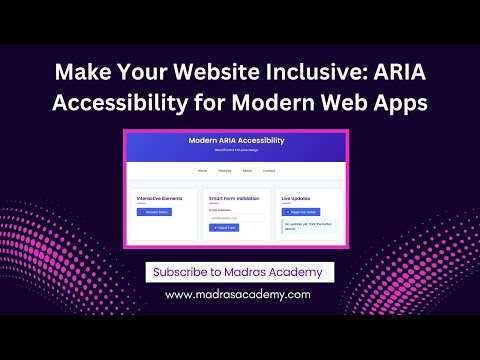
- Video♿🔥 Modern ARIA Accessibility in Web Design | Build Inclusive Websites with HTML & JavaScript 🌐✨Madras Academy6 minStarts with what ARIA adds to HTML, the groundwork for everything that follows.
- VideoChax Chat Accessibility Podcast - The Top 5 Questions Document Accessibility Newbies AskChax Training and Consulting37 minAnswers the basic questions newcomers ask about document accessibility.
- VideoThe Top 5 Questions Document Accessibility Newbies AskChax Training and Consulting37 minA year-end version of the same beginner questions, useful as a second pass.
- Module 2
Testing and Culture at Work
Talks on automated checks, team habits and building accessibility into pipelines.
- VideoVienna.JS, Testing web accessibility, February 2020Pusher20 minShows why automated tests miss parts of WCAG and what tools can still catch.
- VideoBuilding an Accessibility Culture, One Step at a Time - Bas Broek | SwiftLeeds 2024SwiftLeeds28 minCovers how one company built accessibility habits into its product teams.
- VideoAshley Stove -Sustainable Accessibility: Integrating Checks Into Your CICD Pipeline - Stir Trek 2022Stir Trek49 minAdds automated checks to a pipeline, the step after manual testing.
- Module 3
Review a Flow Without a Mouse
Practise keyboard and screen reader review on a real task, then compare what each method found.
- Module 4
Keep Going and Get Feedback
Continue into accessible interface testing, then send your work to Critique for review.