;}.cls-2{fill:%2358d687;}.cls-3{fill:url(%23Degradado_sin_nombre_10);}.cls-4{fill:url(%23Degradado_sin_nombre_31);}.cls-5{fill:%238030d1;}.cls-6{fill:url(%23Degradado_sin_nombre_23);}%3c/style%3e%3clinearGradient%20id='Degradado_sin_nombre_17'%20x1='129.39'%20y1='83.35'%20x2='56.4'%20y2='162.54'%20gradientUnits='userSpaceOnUse'%3e%3cstop%20offset='0'%20stop-color='%23287d8c'/%3e%3cstop%20offset='1'%20stop-color='%2350b5db'/%3e%3c/linearGradient%3e%3clinearGradient%20id='Degradado_sin_nombre_10'%20x1='449.01'%20y1='190.97'%20x2='266.02'%20y2='78.2'%20gradientUnits='userSpaceOnUse'%3e%3cstop%20offset='0'%20stop-color='%23ffe286'/%3e%3cstop%20offset='1'%20stop-color='%23ffcd1d'/%3e%3c/linearGradient%3e%3clinearGradient%20id='Degradado_sin_nombre_31'%20x1='99.7'%20y1='309.69'%20x2='146.19'%20y2='485.35'%20gradientUnits='userSpaceOnUse'%3e%3cstop%20offset='0.01'%20stop-color='%23ff9464'/%3e%3cstop%20offset='1'%20stop-color='%23b3553a'/%3e%3c/linearGradient%3e%3clinearGradient%20id='Degradado_sin_nombre_23'%20x1='547.05'%20y1='208.96'%20x2='252.56'%20y2='438.86'%20gradientUnits='userSpaceOnUse'%3e%3cstop%20offset='0'%20stop-color='%23ff7da1'/%3e%3cstop%20offset='1'%20stop-color='%23f20b4f'/%3e%3c/linearGradient%3e%3c/defs%3e%3ctitle%3efavicon%3c/title%3e%3cg%20id='_Group_'%20data-name='<Group>'%3e%3cg%20id='_Group_2'%20data-name='<Group>'%3e%3cg%20id='_Group_3'%20data-name='<Group>'%3e%3cpath%20id='_Path_'%20data-name='<Path>'%20class='cls-1'%20d='M232.54,165.43a124.47,124.47,0,0,1-106.95,60.76h0A101.77,101.77,0,0,1,23.82,124.41V0L132.31,95.94A517.46,517.46,0,0,0,232.54,165.43Z'/%3e%3cpath%20id='_Path_2'%20data-name='<Path>'%20class='cls-2'%20d='M250,0V101.78a123.87,123.87,0,0,1-17.46,63.65A517.46,517.46,0,0,1,132.31,95.94L23.82,0Z'/%3e%3cpath%20id='_Path_3'%20data-name='<Path>'%20class='cls-3'%20d='M476.18,226.19a518.87,518.87,0,0,1-243.64-60.76A123.87,123.87,0,0,0,250,101.78V0A226.12,226.12,0,0,1,476.18,226.19Z'/%3e%3cpath%20id='_Path_4'%20data-name='<Path>'%20class='cls-4'%20d='M232.54,334.57a517.71,517.71,0,0,0-100.23,69.54L23.82,500V375.59A101.77,101.77,0,0,1,125.59,273.81h0A124.47,124.47,0,0,1,232.54,334.57Z'/%3e%3cpath%20id='_Path_5'%20data-name='<Path>'%20class='cls-5'%20d='M250,398.22V500H23.82l108.49-95.89a517.71,517.71,0,0,1,100.23-69.54A123.87,123.87,0,0,1,250,398.22Z'/%3e%3cpath%20id='_Path_6'%20data-name='<Path>'%20class='cls-6'%20d='M476.18,273.81A226.12,226.12,0,0,1,250,500V398.22a123.87,123.87,0,0,0-17.46-63.65A518.87,518.87,0,0,1,476.18,273.81Z'/%3e%3c/g%3e%3c/g%3e%3c/g%3e%3c/svg%3e)
Learning pathBeginner → IntermediateFigma
Figma Workflows: Building Screens, Auto Layout and Variables
This path is for designers new to Figma who want to build interface screens faster and more cleanly. It moves from basic effects and mobile app layouts to auto layout and variables, then to a short wireframing task. It mixes watching, hands-on practice and feedback.
4 modules · 9 steps · ~2 hrs · 6 videos · 1 event · 1 resource · 1 critique
By the end of this path, you’ll be able to
- Apply drop shadows and other basic effects to elements in Figma.
- Build a mobile app screen layout in Figma from start to finish.
- Place elements over auto layout groups in a UI design.
- Use variables and modes to adapt a layout to different screen sizes.
- Wireframe a login screen in Figma using simple shapes and text.
Modules
- Module 1
Core Figma Techniques
Short and full-length tutorials covering drop shadows and a complete mobile app interface build.
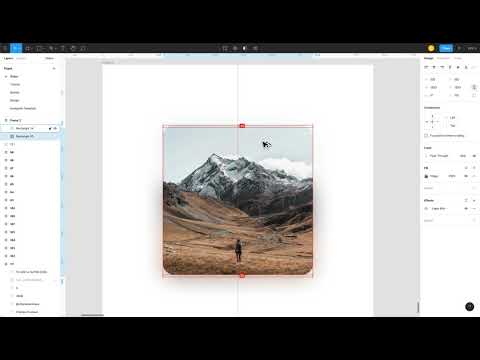
- VideoHow To Make A Cool Drop-Shadow - Figma TutorialCharles Postiaux3 minStarts with one contained effect, a quick win before longer builds.
- VideoDesign Cool Instagram Stories in Figma Tutorial 2024Charles Postiaux15 minWalks through a full Instagram story design at the starting level.
- VideoFigma Mobile App Design Tutorial | Figma Tutorial 2024icode ng~1 hrA long build of a mobile app screen, best once the basics feel familiar.
- Module 2
Auto Layout and Variables
Intermediate tips on layering over auto layout and building responsive designs with variables and modes.
- VideoFigma Tip: How to place elements over an auto layout group | Auto Layout | UI/UX DesignChima @ UserAndI2 minAdds placement over auto layout once the basic tools feel comfortable.
- VideoHow to create responsive design in figma using variables 2023 and mode.icode ng7 minIntroduces variables and modes for responsive layouts one level up.
- VideoDesigning the Browser in the Browser, Figma Screenshare :: BKLMN Vlog #92Joel Beukelman (BKLMN)12 minA screenshare of working in Figma on UI sticker sheets, showing a real process.
- Module 3
Wireframe in Figma
A timed exercise to wireframe a login screen, applying what the videos showed about layout in Figma.
- Module 4
Keep Building and Get Feedback
Take your Figma work into a critique to get specific feedback on the screens you have built.