;}.cls-2{fill:%2358d687;}.cls-3{fill:url(%23Degradado_sin_nombre_10);}.cls-4{fill:url(%23Degradado_sin_nombre_31);}.cls-5{fill:%238030d1;}.cls-6{fill:url(%23Degradado_sin_nombre_23);}%3c/style%3e%3clinearGradient%20id='Degradado_sin_nombre_17'%20x1='129.39'%20y1='83.35'%20x2='56.4'%20y2='162.54'%20gradientUnits='userSpaceOnUse'%3e%3cstop%20offset='0'%20stop-color='%23287d8c'/%3e%3cstop%20offset='1'%20stop-color='%2350b5db'/%3e%3c/linearGradient%3e%3clinearGradient%20id='Degradado_sin_nombre_10'%20x1='449.01'%20y1='190.97'%20x2='266.02'%20y2='78.2'%20gradientUnits='userSpaceOnUse'%3e%3cstop%20offset='0'%20stop-color='%23ffe286'/%3e%3cstop%20offset='1'%20stop-color='%23ffcd1d'/%3e%3c/linearGradient%3e%3clinearGradient%20id='Degradado_sin_nombre_31'%20x1='99.7'%20y1='309.69'%20x2='146.19'%20y2='485.35'%20gradientUnits='userSpaceOnUse'%3e%3cstop%20offset='0.01'%20stop-color='%23ff9464'/%3e%3cstop%20offset='1'%20stop-color='%23b3553a'/%3e%3c/linearGradient%3e%3clinearGradient%20id='Degradado_sin_nombre_23'%20x1='547.05'%20y1='208.96'%20x2='252.56'%20y2='438.86'%20gradientUnits='userSpaceOnUse'%3e%3cstop%20offset='0'%20stop-color='%23ff7da1'/%3e%3cstop%20offset='1'%20stop-color='%23f20b4f'/%3e%3c/linearGradient%3e%3c/defs%3e%3ctitle%3efavicon%3c/title%3e%3cg%20id='_Group_'%20data-name='<Group>'%3e%3cg%20id='_Group_2'%20data-name='<Group>'%3e%3cg%20id='_Group_3'%20data-name='<Group>'%3e%3cpath%20id='_Path_'%20data-name='<Path>'%20class='cls-1'%20d='M232.54,165.43a124.47,124.47,0,0,1-106.95,60.76h0A101.77,101.77,0,0,1,23.82,124.41V0L132.31,95.94A517.46,517.46,0,0,0,232.54,165.43Z'/%3e%3cpath%20id='_Path_2'%20data-name='<Path>'%20class='cls-2'%20d='M250,0V101.78a123.87,123.87,0,0,1-17.46,63.65A517.46,517.46,0,0,1,132.31,95.94L23.82,0Z'/%3e%3cpath%20id='_Path_3'%20data-name='<Path>'%20class='cls-3'%20d='M476.18,226.19a518.87,518.87,0,0,1-243.64-60.76A123.87,123.87,0,0,0,250,101.78V0A226.12,226.12,0,0,1,476.18,226.19Z'/%3e%3cpath%20id='_Path_4'%20data-name='<Path>'%20class='cls-4'%20d='M232.54,334.57a517.71,517.71,0,0,0-100.23,69.54L23.82,500V375.59A101.77,101.77,0,0,1,125.59,273.81h0A124.47,124.47,0,0,1,232.54,334.57Z'/%3e%3cpath%20id='_Path_5'%20data-name='<Path>'%20class='cls-5'%20d='M250,398.22V500H23.82l108.49-95.89a517.71,517.71,0,0,1,100.23-69.54A123.87,123.87,0,0,1,250,398.22Z'/%3e%3cpath%20id='_Path_6'%20data-name='<Path>'%20class='cls-6'%20d='M476.18,273.81A226.12,226.12,0,0,1,250,500V398.22a123.87,123.87,0,0,0-17.46-63.65A518.87,518.87,0,0,1,476.18,273.81Z'/%3e%3c/g%3e%3c/g%3e%3c/g%3e%3c/svg%3e)
Learning pathBeginner → IntermediateGraphic Design
Graphic Design Basics: Styles, Grids and Typefaces in Practice
This path is for beginners moving toward intermediate graphic design. It starts with quick style and template work, builds up to grid-based logo and poster design, and ends with hands-on practice in hierarchy and type pairing. It mixes watching, practice and feedback.
4 modules · 10 steps · ~3 hrs · 1 Skill Lab · 6 videos · 1 video path · 1 resource · more
By the end of this path, you’ll be able to
- Recognise common graphic design styles and choose one for a brief
- Build a logo on a geometric grid for proportion and balance
- Create a clear visual hierarchy without relying on colour
- Pair two typefaces and build a consistent type scale
- Structure a poster layout that guides the eye through the message
Modules
- Module 1
Starting Points
Quick tutorials on infographics, templates and the range of graphic design styles.
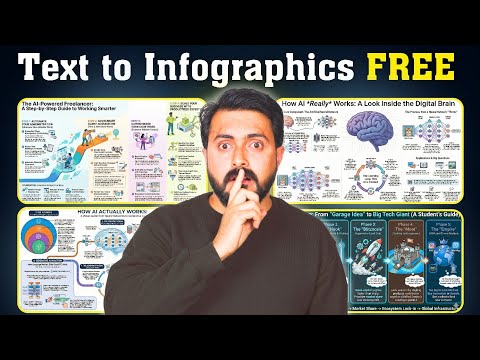
- VideoTWO FREE AI Tools for Text to InfographicsGurru Tech Solutions11 minStarts with a no-design-background tutorial to build confidence making quick infographics.
- VideoEasiest Way To Make Social Media Templates in 2024!Abi Connick12 minShows how to make easy-to-customise social templates, a practical next step after basic tools.
- Video30 Graphic Design Styles in 15 MinutesMaria Tokar17 minA fast tour of thirty styles gives the range of looks before the deeper videos.
- Module 2
Grids and Posters
A logo built on a grid and a longer poster build, with a podcast on the business side of graphic design.
- VideoThe Logo Design Process | Grid-based Logo Design Tutorial In Adobe Illustrator#logo #logodesignPEARL DESIGN ACADEMY6 minApplies a geometric grid to a real logo, building on the style overview.
- Video10 Graphic Design Exercises to Instantly Improve Your SkillsMaria Tokar18 minTen daily exercises give structured practice once the basics are in place.
- VideoCan You Design This Dior Poster in Figma?Designer Mastery Hub57 minA long Figma poster build pulls the earlier style and layout ideas together.
- Module 3
Hierarchy and Type
Two timed tasks that test hierarchy and typeface pairing on real layouts.
- Module 4
Keep Building Skills
Continue with a video path on grids, colour and critique, then get feedback on your work.