;}.cls-2{fill:%2358d687;}.cls-3{fill:url(%23Degradado_sin_nombre_10);}.cls-4{fill:url(%23Degradado_sin_nombre_31);}.cls-5{fill:%238030d1;}.cls-6{fill:url(%23Degradado_sin_nombre_23);}%3c/style%3e%3clinearGradient%20id='Degradado_sin_nombre_17'%20x1='129.39'%20y1='83.35'%20x2='56.4'%20y2='162.54'%20gradientUnits='userSpaceOnUse'%3e%3cstop%20offset='0'%20stop-color='%23287d8c'/%3e%3cstop%20offset='1'%20stop-color='%2350b5db'/%3e%3c/linearGradient%3e%3clinearGradient%20id='Degradado_sin_nombre_10'%20x1='449.01'%20y1='190.97'%20x2='266.02'%20y2='78.2'%20gradientUnits='userSpaceOnUse'%3e%3cstop%20offset='0'%20stop-color='%23ffe286'/%3e%3cstop%20offset='1'%20stop-color='%23ffcd1d'/%3e%3c/linearGradient%3e%3clinearGradient%20id='Degradado_sin_nombre_31'%20x1='99.7'%20y1='309.69'%20x2='146.19'%20y2='485.35'%20gradientUnits='userSpaceOnUse'%3e%3cstop%20offset='0.01'%20stop-color='%23ff9464'/%3e%3cstop%20offset='1'%20stop-color='%23b3553a'/%3e%3c/linearGradient%3e%3clinearGradient%20id='Degradado_sin_nombre_23'%20x1='547.05'%20y1='208.96'%20x2='252.56'%20y2='438.86'%20gradientUnits='userSpaceOnUse'%3e%3cstop%20offset='0'%20stop-color='%23ff7da1'/%3e%3cstop%20offset='1'%20stop-color='%23f20b4f'/%3e%3c/linearGradient%3e%3c/defs%3e%3ctitle%3efavicon%3c/title%3e%3cg%20id='_Group_'%20data-name='<Group>'%3e%3cg%20id='_Group_2'%20data-name='<Group>'%3e%3cg%20id='_Group_3'%20data-name='<Group>'%3e%3cpath%20id='_Path_'%20data-name='<Path>'%20class='cls-1'%20d='M232.54,165.43a124.47,124.47,0,0,1-106.95,60.76h0A101.77,101.77,0,0,1,23.82,124.41V0L132.31,95.94A517.46,517.46,0,0,0,232.54,165.43Z'/%3e%3cpath%20id='_Path_2'%20data-name='<Path>'%20class='cls-2'%20d='M250,0V101.78a123.87,123.87,0,0,1-17.46,63.65A517.46,517.46,0,0,1,132.31,95.94L23.82,0Z'/%3e%3cpath%20id='_Path_3'%20data-name='<Path>'%20class='cls-3'%20d='M476.18,226.19a518.87,518.87,0,0,1-243.64-60.76A123.87,123.87,0,0,0,250,101.78V0A226.12,226.12,0,0,1,476.18,226.19Z'/%3e%3cpath%20id='_Path_4'%20data-name='<Path>'%20class='cls-4'%20d='M232.54,334.57a517.71,517.71,0,0,0-100.23,69.54L23.82,500V375.59A101.77,101.77,0,0,1,125.59,273.81h0A124.47,124.47,0,0,1,232.54,334.57Z'/%3e%3cpath%20id='_Path_5'%20data-name='<Path>'%20class='cls-5'%20d='M250,398.22V500H23.82l108.49-95.89a517.71,517.71,0,0,1,100.23-69.54A123.87,123.87,0,0,1,250,398.22Z'/%3e%3cpath%20id='_Path_6'%20data-name='<Path>'%20class='cls-6'%20d='M476.18,273.81A226.12,226.12,0,0,1,250,500V398.22a123.87,123.87,0,0,0-17.46-63.65A518.87,518.87,0,0,1,476.18,273.81Z'/%3e%3c/g%3e%3c/g%3e%3c/g%3e%3c/svg%3e)
Inclusive Design: Context, Research and Keyboard Checks
This path is for designers who want to widen who can use their products. It starts with why inclusive design matters and moves to co-design and research methods. You will finish by checking a flow with a keyboard, and the path mixes watching, practice and feedback.
4 modules · 10 steps · ~4 hrs · 1 Skill Lab · 6 videos · 1 video path · 1 resource · more
By the end of this path, you’ll be able to
- Explain what inclusive design is and why it widens a product's audience
- Identify how age, vision, dexterity, location and education shape use
- Plan co-design and research that includes people with diverse needs
- Review a flow keyboard-first and note where it fails users
Modules
- Module 1
Foundations
Three talks that explain inclusive design, its benefits and how context such as connectivity shapes learning.
- VideoHow Internet Speed Impacts Learning During Pandemic | Inclusive Design In South East Asia | UX UISixty Two5 minOpens with real connectivity constraints in Southeast Asia, grounding the topic in local context.
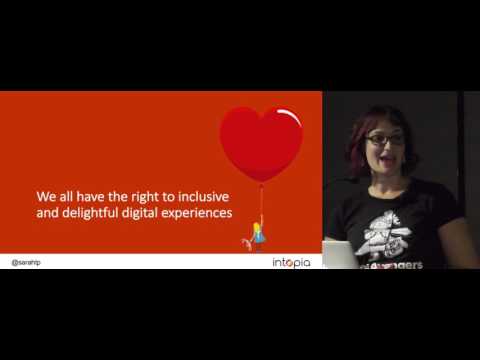
- VideoSarah Pulis gives a solid overview of benefits of Inclusive design at IxDA Sydney April 6, 2017IxDA Sydney40 minA clear overview of what inclusive design is and why it matters to interaction designers.
- VideoInclusive Design: Thinking Beyond AccessibilityDesign 4 Drupal, Boston49 minExplains how planning for age, vision, dexterity and location widens the audience.
- Module 2
Deepen
Intermediate talks on co-design, research and how personalised systems can misrepresent users, plus a podcast episode.
- VideoDella Churchill, Rachel Gallagher & Hannah Gossow - How to do inclusive co-design and researchA11y Bytes19 minMoves from principles to practical co-design and research with users.
- VideoNathan Ortiz - Designing for more than data.A11y Bytes22 minShows how personalised systems can misrepresent gender-diverse and intersex users.
- VideoInclusive UX: How Design Delivers ImpactThe Sociable49 minA longer listen on cross-cultural inclusive design and building for diverse needs.
- Module 3
Practise
A timed keyboard-first review of a real flow, then a short screen reader task to test what you found.
- Module 4
Apply and Keep Going
Continue with a video path on putting inclusive design into practice.