Learning Paths

Every path on Designed in one place: step-by-step learning paths with lessons, videos, Skill Labs and podcasts, and video paths from the Video Library. Pick a topic and a level, and start where you are.

All paths510 paths · page 17 of 22

  • Video pathBeginner → AdvancedIllustration

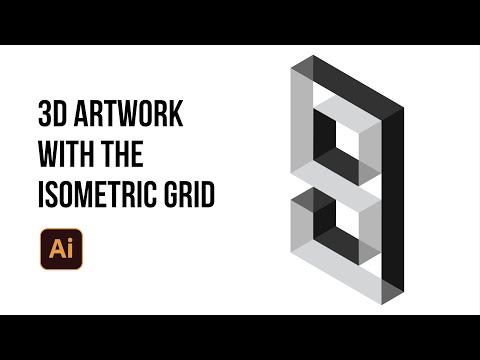
    Isometric Illustration: Grid Basics to Sci-Fi Scenes

    This path is for illustrators who want to draw isometric artwork, from first grid exercises to complex sci-fi concept scenes. You will learn to build isometric forms in Illustrator, Affinity Designer, Figma and Procreate.

    7 videos · ~5.5 hrs

  • Video pathBeginner → IntermediateDesign Business

    Starting and Running a Freelance Design Business

    For junior and mid-level product and UX designers setting up solo work. You will learn to judge whether freelancing suits you, find and win clients, price projects and manage client work.

    11 videos · ~2.5 hrs

  • Video pathBeginner → IntermediateDesign Business

    Pricing and Positioning for Freelance Graphic Designers

    For freelance graphic designers who want better-paying clients. You will learn realistic income levels, how to price and quote projects, and how to position and present your portfolio.

    12 videos · ~2.5 hrs

  • Video pathIntermediateBranding

    Intermediate Logo Design: Process to Presentation

    For intermediate designers who want a repeatable logo process, from brief and research through testing to presenting a finished mark and identity to clients.

    7 videos · ~3.5 hrs

  • Video pathIntermediate → AdvancedService Design

    Scaling Journey Management Across an Organisation

    For service designers ready to take journey work beyond single projects. You will learn to assess maturity, prioritise journeys, fit them into team workflows and set up governance that lasts.

    9 videos · ~7.5 hrs

  • Video pathIntermediateDesign-Dev Collaboration

    Connecting Figma to AI Coding Tools for Designers

    For product designers and front-end developers who want AI coding tools to read Figma context and keep design and code in step. By the end you will be able to connect, structure, and round-trip changes between canvas and code.

    7 videos · ~2 hrs

  • Video pathIntermediateFreelancing

    Building Income Beyond Client Work

    For intermediate freelancers who want income beyond client projects. You will be able to compare income streams and plan a simple system for selling templates.

    7 videos · 51 min

  • Video pathIntermediateFreelancing

    Freelance UX Research: Services, Pricing and Billing

    For employee UX researchers considering going independent. You will be able to judge whether freelancing suits you, price your research services, choose a legal entity and find and bill clients.

    5 videos · ~4.5 hrs

  • Video pathBeginner → IntermediateIllustration

    Vector Illustration in Illustrator: Beginner to Intermediate

    For designers who know the basics of Adobe Illustrator and want to build complete vector illustrations, from shapes and tracing to scenes and characters. You will finish with a shaded, colour-built illustration of your own.

    11 videos · ~3.5 hrs

  • Video pathBeginner → AdvancedIllustration

    Painting Florals and Botanicals in Procreate

    This path is for illustrators who want to paint florals and gouache-style botanicals in Procreate. You will move from a single leaf to loose watercolour florals and finally to a planned winter bouquet.

    5 videos · ~1 hr

  • Video pathBeginner → IntermediateDesign Portfolio

    Design Portfolio

    This collection is for industrial or product design students who want to build and present a portfolio, from school applications to real-world critiques. You will learn how to set up and improve your portfolio.

    6 videos · ~3 hrs

  • Video pathIntermediate → AdvancedLeadership

    Building and Leading Healthy Product Design Teams

    For design leads and managers who hire, grow and look after product design teams. You will be able to plan how a team is structured, attract and assess candidates, and keep the team healthy as it grows.

    10 videos · ~7 hrs

  • Video pathBeginner → IntermediateFreelancing

    Freelance Web Design: Winning and Pricing Local Clients

    For beginners who want to win their first local web design clients and then move up to higher-value projects. You will learn to find prospects, price work with confidence and build recurring income.

    6 videos · ~1.5 hr

  • Video pathBeginner → IntermediatePhoto Editing

    Creative Photo Effects and Compositing in Photoshop

    For people who have started using Photoshop and want to make duotone, double exposure and film-style looks. You will learn to use masks and blend modes to combine images into simple composites.

    9 videos · ~2 hrs

  • Video pathBeginner → IntermediateDesigner Interviews

    Learning Service Design Through Practitioner Interviews

    For newcomers and early practitioners who want to hear how service designers describe their work. You will be able to follow the field's main ideas and discuss them in your own words.

    10 videos · ~5.5 hrs

  • Video pathBeginner → IntermediatePhoto Editing

    Photo Editing in Photoshop: Exposure to Creative Grades

    For beginners who want to correct exposure and colour in Photoshop, then try duotone, black and white and film-style grades. You will work non-destructively and finish able to grade photos with confidence.

    12 videos · ~2 hrs

  • Video pathBeginner → IntermediatePhoto Editing

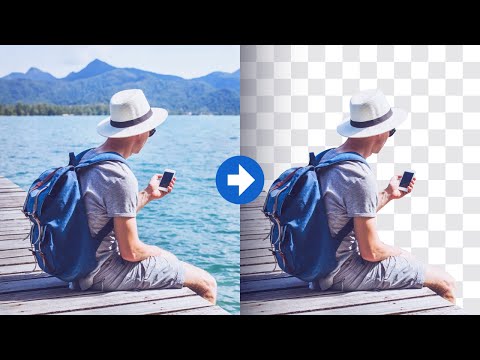
    Cutting Out Subjects Cleanly in Photoshop

    This path is for beginners ready to move past basic erasing into proper cutouts. You will learn to isolate subjects with selections, masks and the Pen tool, then handle hair and fine detail at an intermediate level.

    10 videos · ~2 hrs

  • Video pathBeginner → IntermediateWeb Design

    Responsive No-Code Websites with Wix Studio and Editor X

    This path is for beginners who want to build responsive websites without writing code, moving from first layouts to dynamic content and media effects. By the end you will be able to lay out, populate and polish a site across screen sizes.

    9 videos · ~2.5 hrs

  • Video pathBeginner → IntermediateWeb Design

    No-Code WordPress Sites with Elementor and Bricks

    For beginners who want to build a WordPress site without writing code, then move on to reusable styles and a Bricks starter framework. You will be able to build, tune and compare both builders.

    10 videos · ~2 hrs

  • Video pathBeginner → IntermediateWeb Design

    Building Responsive Websites in Webflow

    For beginners who want to build responsive no-code websites in Webflow, then move on to Figma designs, 3D scenes and AI-assisted builds. You will finish able to build, style and extend a site that works on any screen.

    10 videos · ~5 hrs

  • Video pathBeginner → IntermediateWeb Design

    Building Responsive No-Code Websites in Framer

    For beginners who want to build a full website in Framer without code, then add CMS content, animation and AI-assisted editing. You will be able to publish a responsive site and collect visitor sign-ups.

    11 videos · ~3 hrs

  • Video pathBeginner → IntermediateFigma

    Designing Websites and App Screens in Figma

    For beginners who want to build complete websites and app screens in Figma. Follow project-based tutorials that take you from a project brief to interactive designs.

    12 videos · ~3 hrs

  • Video pathBeginner → IntermediateFigma

    Figma Prototyping with Smart Animate and Variants

    For beginners who know basic Figma and want to add clicks, hover states and motion to prototypes. You will build toggles, dropdowns and an animated image slider step by step.

    12 videos · ~2 hrs

  • Video pathBeginner → IntermediatePhoto Editing

    Photo Editing in GIMP: Cutouts, Masks and Mockups

    For beginners learning free GIMP who want to cut out subjects, mask fine edges and prepare images for app store mockups. You will be able to remove backgrounds, mask detailed edges and swap backgrounds behind glass.

    5 videos · 49 min